
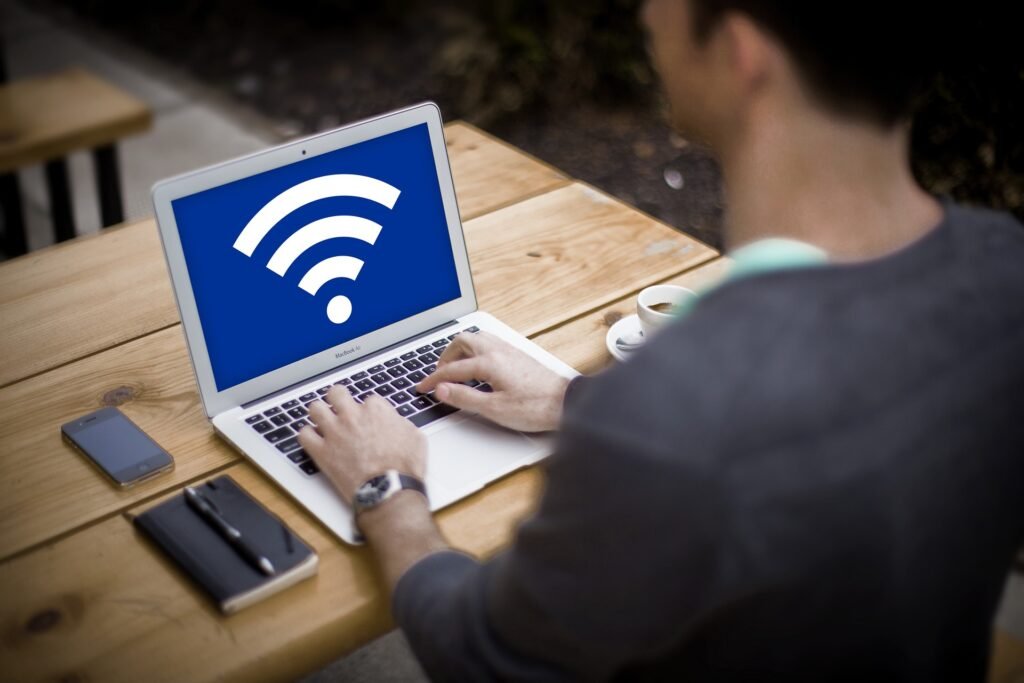
If you work from home, your internet connection is no longer just for entertainment.
It has become your workplace.
You may use it for:
- Client meetings
- Business emails
- File sharing
- Cloud accounts
- Online payments
- Company systems
That means your home WiFi now carries valuable personal and professional data every day.
Many remote workers focus on productivity, deadlines, and meetings.
But they often ignore something just as important.
Home network security.
That is exactly why many people are now searching for how remote workers can improve cybersecurity on home wifi easily, because weak home WiFi can create real business and privacy risks.
The good news is, you do not need to be a technical expert to make your connection much safer.
Simple steps can dramatically improve protection.
Let’s break it down in a practical and easy way:
Why Home WiFi Security Matters for Remote Workers?
When you work remotely, your WiFi may handle:
- Work emails
- Video calls
- Passwords
- Customer data
- Business files
- Financial information
If your network is weak, problems may include:
- Unauthorized access
- Slow suspicious activity
- Stolen passwords
- Privacy risks
- Compromised work accounts
- Business disruption
This is why learning how remote workers can improve cybersecurity on home wifi easily is increasingly important.
Common Risks on Home WiFi:
Many people assume hackers only target companies.
But home networks can also be targeted through:
- Weak WiFi passwords
- Old router software
- Default router settings
- Unsafe smart devices
- Fake WiFi networks
- Unsecured guest access
- Phishing attacks after network compromise
Most of these risks are preventable.
Where Remote Workers Should Focus First?
- Strong WiFi Password
Your wireless password should be long and unique.
Avoid simple choices like:
- 12345678
- password
- familyname
Use stronger combinations instead.
- Change Default Router Login
Many routers still use factory usernames and passwords.
Change admin access immediately.
- Update Router Firmware
Router updates often patch security weaknesses.
Many users never check this.
- Separate Guest Devices
Visitors and non-work devices should ideally use guest networks when available.
Step by Step: How to Improve Cybersecurity on Home WiFi
If you are wondering how remote workers can improve cybersecurity on home wifi easily, follow this practical system.
Step 1: Secure the Router Login
Access your router settings and replace default credentials with strong unique ones.
Step 2: Improve Wireless Security Settings
Use modern encryption such as WPA2 or WPA3 if available.
Avoid outdated settings.
Step 3: Create a Strong WiFi Password
Use a password that is difficult to guess and not reused elsewhere.
Step 4: Update Devices Regularly
Keep laptops, phones, and tablets updated.
A secure network still needs secure devices.
Step 5: Use Extra Account Security
Enable two-factor authentication on important work accounts.
This adds another protection layer.
Real Life Example:
Let’s say you are a freelance designer working from home.
Before improvements:
- Default router password remains active.
- WiFi password is weak.
- Laptop updates are delayed.
After improvements:
- Router admin password changed.
- Strong WiFi password added.
- Updates installed.
- Two-factor authentication enabled.
Result: significantly stronger protection with little cost.
Common Mistakes to Avoid:
While learning how remote workers can improve cybersecurity on home wifi easily, avoid these mistakes.
- Reusing Passwords Everywhere
If one account is breached, others may be at risk.
- Ignoring Router Updates
Routers need maintenance too.
- Connecting to Unknown Networks
Avoid random public networks for sensitive work.
- Sharing WiFi Password Widely
Limit access where possible.
How Better WiFi Security Helps Remote Workers?
Once people apply how remote workers can improve cybersecurity on home wifi easily, they often notice:
- More confidence working online
- Safer file sharing
- Lower risk of compromise
- Better privacy
- Reliable remote work setup
- Less stress
Security supports productivity.
Is It Expensive to Improve Home WiFi Security?
Many assume protection requires expensive tools.
But many valuable improvements are free:
- Changing passwords
- Updating firmware
- Adjusting settings
- Using guest networks
- Turning on two-factor authentication
Even low-cost changes help greatly.
How Fast Can You Improve Security?
Usually immediately.
Today:
- Change WiFi password
- Change router admin login
- Install updates
This week:
- Review devices
- Enable account protections
- Check router settings
Quick action creates real improvement.
Simple Monthly Security Routine:
Week 1:
Check router updates
Week 2:
Review connected devices
Week 3:
Update laptops and phones
Week 4:
Change any weak reused passwords
Consistency matters.
Future of Remote Work Security:
Remote work continues growing.
Workers with stronger home security gain advantages through:
- Safer productivity
- Reliable access
- Better privacy
- Lower business risk
Those ignoring security may face avoidable problems.
Final Thoughts:
If you have been thinking about how remote workers can improve cybersecurity on home wifi easily, now is the right time to act.
You do not need advanced technical skills.
You do not need expensive enterprise systems.
You only need smarter security habits.
Start with:
- Strong WiFi password
- Router login protection
- Regular updates
- Modern encryption
- Two-factor authentication
Then improve gradually.
Soon, you may notice something powerful.
Your home internet becomes a safer workspace instead of a hidden risk.
FAQs
Can home WiFi really affect work security?
Yes. Remote work often depends on home networks for sensitive tasks.
What should I do first?
Change weak passwords and secure router access.
Do router updates matter?
Yes. Updates can fix security weaknesses.
Can beginners do this themselves?
Yes. Most steps are simple and beginner friendly.